
Technology has made communication in the 21st century easy and convenient. This includes communication between family, friends and professionals. But it benefits teachers and students in school settings greatly as well.
Padlet is a web browser-based tool for cooperative learning. It is perfect for fostering creativity in the form of an online community as it allows multiple people to work on one page together (similar to Google docs). The difference with Padlet is that you can pick multiple formats and different options when setting up your padlet.
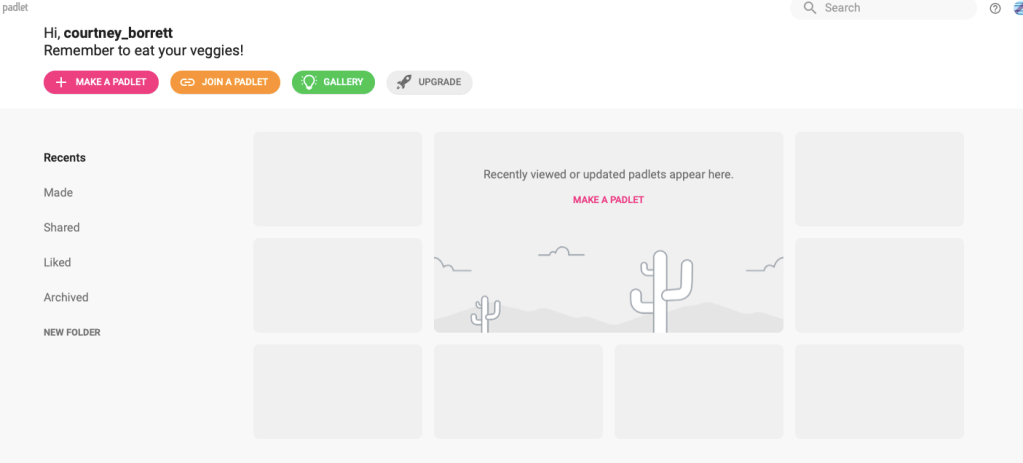
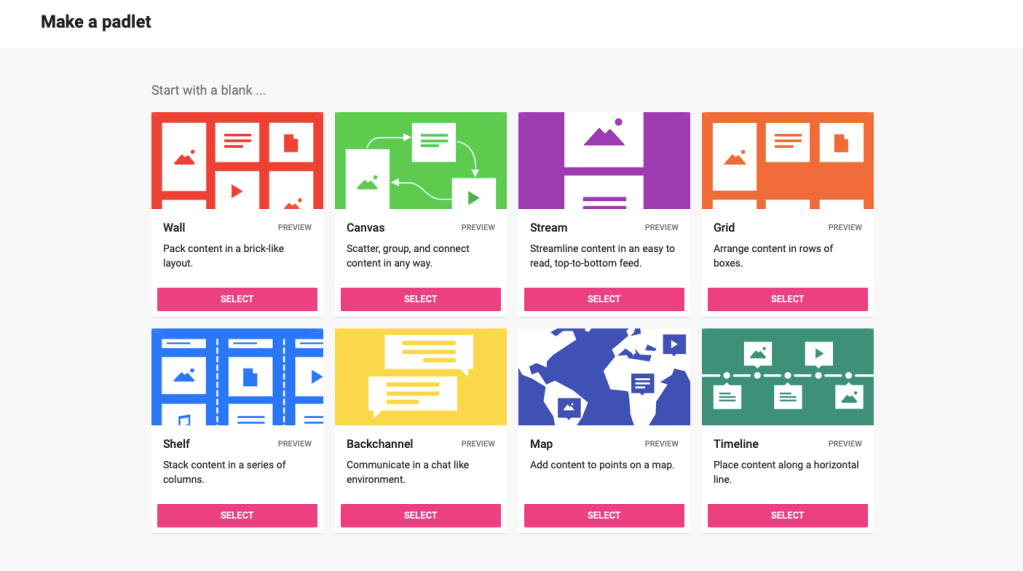
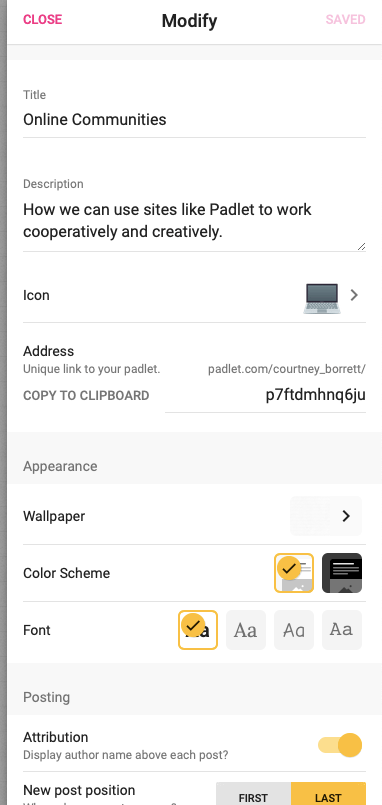
Wheeler, Waite and Bromfield discuss that it is possible for all children to become critical and creative thinkers, as long as “conditions are conducive and children have acquired the relevant skills and knowledge” (2002). I believe that Padlet makes this possible as it is user-friendly with how intuitive it is to utilise. Its simple layout means that it is easy for a teacher to model to students how to use, and it has many editing features that allow for it to be an experience for students to figure out how to use it in different creative ways. “No one likes software that makes simplistic assumptions about what we mean or are trying to do” (McCormack & D’Inverno, 2013), which is exactly what Padlet doesn’t do. It’s simple enough to be able to navigate without becoming frustrated, but also complex enough that users don’t feel confined to one format. The beautiful thing about Padlet is that students can also choose to post their notes anonymously or with an author name, so students who may not feel comfortable sharing their ideas can still be recognised and a part of the learning environment. This is relevant to the idea that we should be “providing opportunities for ALL children to succeed… (it) is the key to maximising individual strengths and abilities” (Wheeler, et al., 2002). I emphasise ‘all’ children because technology gives teachers the opportunity to facilitate and encourage creativity with students of all backgrounds and opportunities without forcing them into uncomfortable situations.
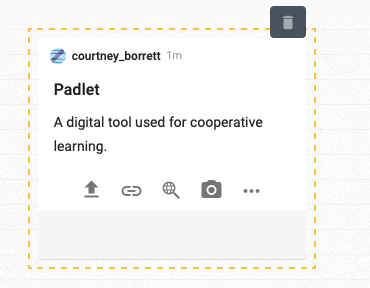
Making a post to padlet is as simple as pressing a giant pink ‘+’ sign and typing in this box. At the bottom, we can see options to upload from files on the computer, link websites, or take a photo.

Padlet is a user-friendly digital cooperative learning tool for learning both inside and outside of the classroom. It has various formats and uses that are fully customisable and is simple enough to use and understand for many schools and teachers who may be unsure about implementing technology as a tool for fostering creativity in the classroom.
REFERENCES:
McCormack, J., & D’Inverno, M. (2013). Computers and Creativity: The Road Ahead. Berlin: Springer-Verlag Berlin Heidelberg.
Wheeler, S. ; Waite, S.J. ; Bromfield, C. (2002). Promoting creative thinking through the use of ICT. Journal of Computer Assisted Learning, 18(3). 367-378. DOI: 10.1046/j.0266-4909.2002.00247.x
 Digital Creativity and Learning
4 replies on “Online Communities”
Hi Courtney, I love the idea of Padlet! There are so many interactive platforms out there that have a facade of easy use but are actually extremely technical and difficult to navigate. I like how you mentioned that students can post ideas anonymously or with their names so that everyone feels safe enough to share their thoughts. What a great way to open up avenues for intrinsic motivation and build confidence.
LikeLike
A great blog post about using a tool such as Padlet to foster online communities and creativity. Thought it was really great that you went in-depth about how the simplicity of the platform does not inhibit its uses. It would have been good to demonstrate any drawbacks or negatives (if there are any) of using Padlet that may hinder creativity. Overall an interesting analysis of how this easy-to-use tool can be implemented into the classroom.
LikeLike
Hi Courtney,
This is a great post, I have never heard of Padlet before but it seems like an interesting learning tool. The layout and different formats look easy to understand and navigate which is extremely important for both students and teachers if we are trying to promote creativity. Online collaboration tools such as Padlet, whilst simple, seem to me to be the most realistic and effective means of fostering creativity in the classroom.
LikeLike
Hi Courtney, I agree with your comment about maximising students’ strengths and abilities by providing everyone with opportunities. It looks like the many functions of Padlet and the option to post anonymously allow students to participate and learn. I appreciate the Padlet that you created, it outlines so many benefits of the software!
LikeLike