This week, we looked at the concept of design-based thinking. Design-based thinking focuses on being able to think about an issue or problem with skills that underpin design (Bower, 2020). When thinking about these particular skills, I like to use a design thinking process. There are multiple ways that the design thinking process can be organised, so here is just one visual example of the design thinking process:
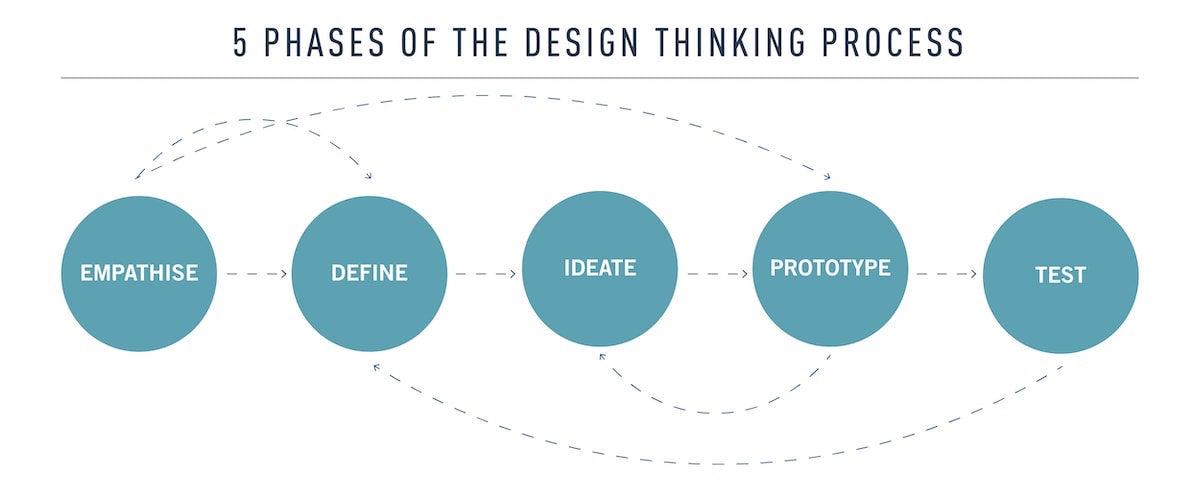
Stevens’ visual example is not the only way to map out the design thinking process, but it is a starting point. Some other words for the five phases are as follows…
Empathise: Identify, determine, establish, figure out, see, what is the problem or issue?
Define: Explore, think about, search, how do we define or interpret the problem or issue?
Ideate: Create, explore, think, idea/s, talk, brainstorm
Prototype: Decide, experiment, make it tangible, propose
Test: Practice, results, feedback, reflect, try it out
Another important point to make is that the design thinking process is rarely ever linear and rarely has an end point. Things can always be reflected upon and improved. As we can see from Stevens’ image, the arrows go down a linear path, but they also bounce around, go backwards, and skip steps, which is perfectly normal.
So keeping the design thinking process in mind, I went to Sketchup to create my own 3D printable object. I really enjoyed using Sketchup in class with the guidance from David (our tutor), and was excited to work on my own creation at home. Yet I found that whatever I could think of making almost always ended in disaster…
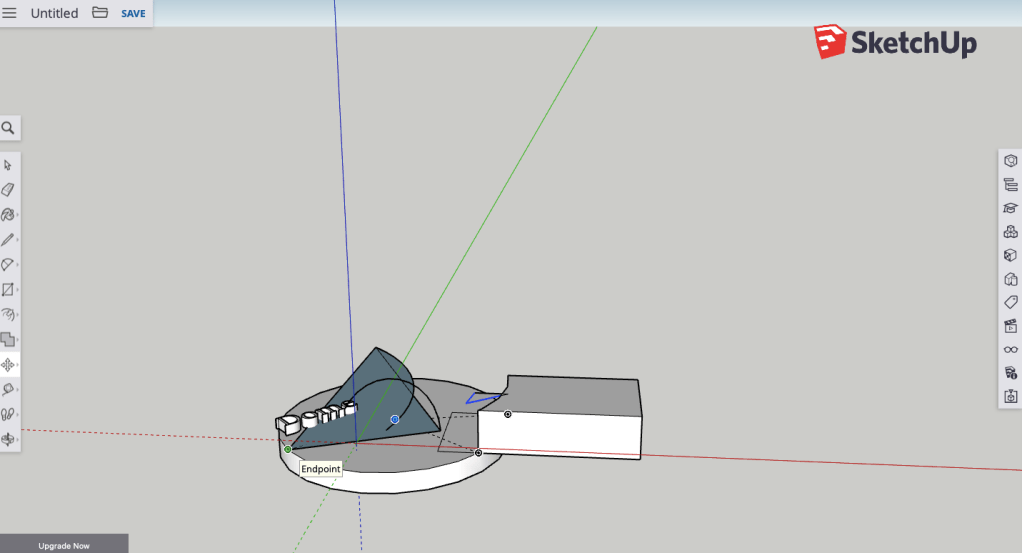
I looked up tutorials on youtube and guides in blogs, but to no avail. In the end, I thought to myself, why not use the skills I already have (what I learned in class) and apply that to create something new, instead of trying to learn a whole new website in one night.
This would mean that my creation would need to be made entirely of squares, rectangle and cubes. It would also need to follow the rule that it needs to be printed in a 3D printer (so no ‘bits’ hanging off the edges). I came up with this:
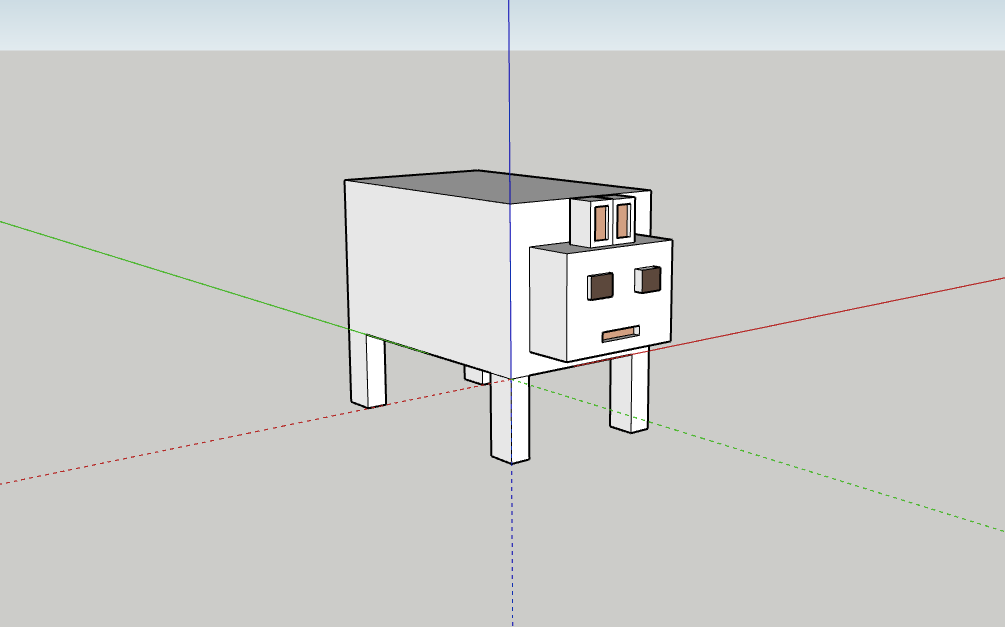
This is ‘Usan’. It is a rabbit that I created in Sketchup with my limited knowledge and a few extra video tutorials. He was sent to be 3D printed last Monday night and I won’t get the results until the coming Monday, but I will post an update of the printed version of Usan.
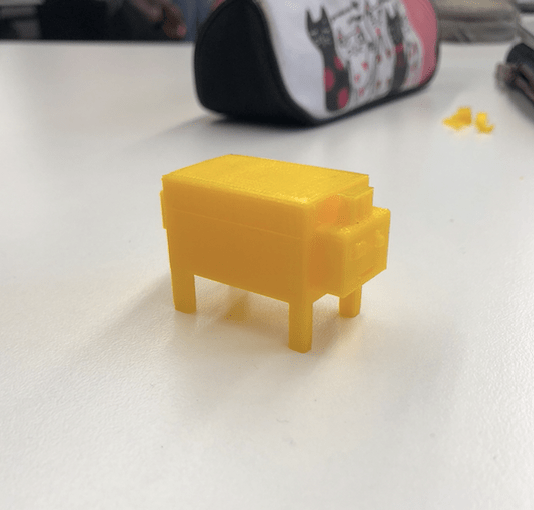
I believe that Sketchup is a tool that could be used in almost any classroom to foster creativity and critical thinking in students. My one issue though, is that it has a relatively high learning curve, and students will need to be shown how to use and navigate it step- by-step. This can only be an issue if time is limited and the teacher does not have much contact with students during the week, as they may forget what they have learned about the application. But it does help students to think about spatial awareness, dimensions and measurements, which are all valuable skills to have.
References:
Bower, M. (2020). EDUC3620 Digital Creativity and Learning. Lecture 1, week 3: Design Based Thinking [Lecture PowerPoint slides]. Retrieved from https://echo360.org.au/lesson/G_6807d407-48ee-45a6-a85b-afa72e3c41ec_ce39b546-11bf-4ac9-a583-d0c52bf755a7_2020-03-09T11:03:00.000_2020-03-09T11:57:00.000/classroom#sortDirection=desc
Stevens, E. (2019, December 16). What is Design Thinking? [Blog post]. Retrieved from https://careerfoundry.com/en/blog/ux-design/what-is-design-thinking-everything-you-need-to-know-to-get-started/
 Digital Creativity and Learning
One reply on “Sketchup as a Creative Classroom Tool”
Hi Courtney
A very inspirational and highly insightful blog on the design processes and experimenting with design through Sketchup. I like your definition of the notion of design, as it clearly highlights the 5 step process and explains each step’s function. I was also really intrigued at the fact that you identified design as non-linear and a process that can undergo many directions, which provides us with more accurate knowledge of the directionality of design and points out that Steven’s model can be misleading, through its linear representation. I also like the fact that you outlined and exemplified Sketchup’s limitations, in terms of taking time to grasp its functions and how to use it. But i was even more intrigued with the solution you provided, which was to experiment with your own knowledge. This provides teachers with an efficient means of differentiating usage of this program for students who may struggle to conventionally grasp the functionality of the program and acknowledges that fact that students are also knowledge creators and not just knowledge consumers.
Overall a fantastic blog! Look forward to ready more of your blogs!
LikeLike