Augmented Reality (AR for short) is a type of technology that allows “real and virtual objects to coexist in the same space and be interacted with in real time” (Bower, Howe, McCredie, Robison & Grover, 2014). Most people are familiar with AR games like Pokemon Go and Minecraft Earth, but there are lots of AR programs that are made and used for educational purposes. AR is becoming more popular in education today because it allows for more immersive experiences for both students and teachers, as well as increasing “learning achievement, motivation and attitude” (Akçayır, M., & Akçayır, G., 2017). It isn’t a technology that has much room for creativity unless it is being used with other technologies.
Some of these educational AR programs include:

Froggipedia.
Froggipedia is an app available on both iPhone and Android operating systems. It has a detailed description of the life cycle of a frog, and then has a section that allows to you dissect a frog. The dissection is quite accurate and gives students the opportunity to explore all the organs as well as pinning the frog down, and making incisions. The app is free and has a user-friendly interface. It would work best with the sciences KLA, specifically biology for high school students. The only drawback is that frogs are the only featured animal, but some classes dissect different animals and animal parts.
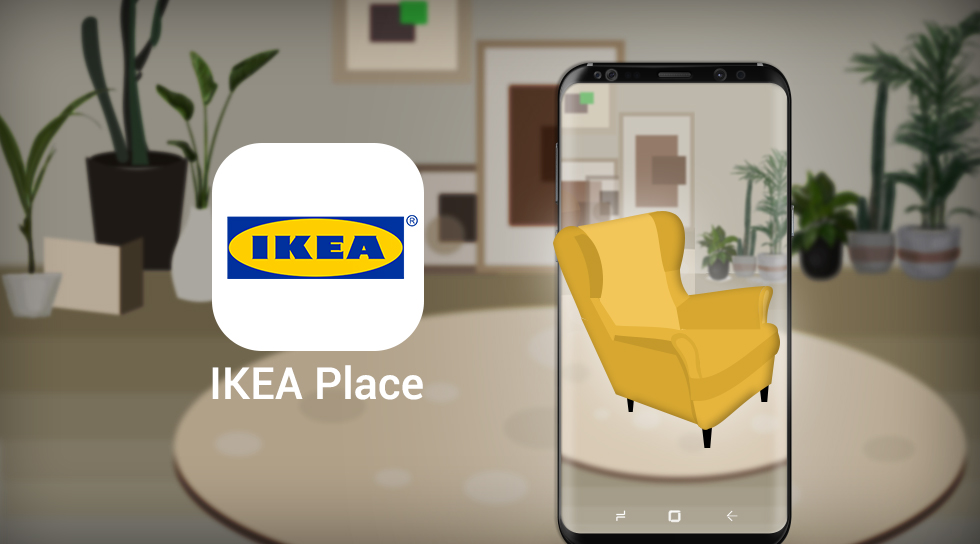
Ikea Place
Ikea Place is another app available on iPhone and Android operating systems. It is free and has an intuitive user-interface. The app allows you to go through the Ikea catalogue and place different furniture items in your room. Unlike Froggipedia, Ikea Place was not made to be specifically educational, but the app can definitely be used in the mathematics KLA when working on topics like space, shape and measurement. The main weaknesses in the app, lie with the fact that it was created for retail and consumer purposes, so it is limited in what can be done with it in the classroom.
For teachers that would rather make their own AR experiences for their classrooms, there is a website called ZapWorks. ZapWorks links with the Zappar app (available on both iOS and Android) to allow for full functionality of the AR experiences created on the website. Sites like ZapWorks show how AR technology can be used creatively as it has users creating their own AR experiences. I used ZapWorks to create an AR experience for the high school Languages KLA (Japanese).
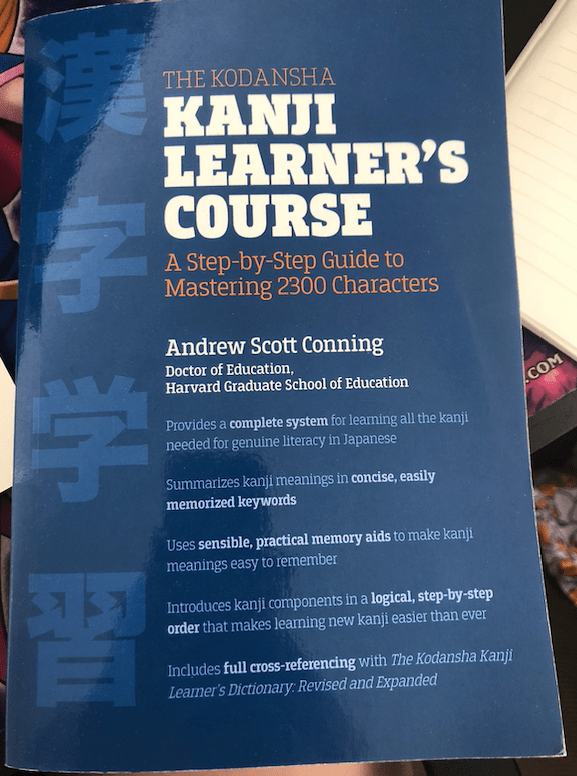
I used one of my Japanese textbooks as the ‘trigger’ for my AR to start working. So if you have the AR code and hold the trigger up, it will automatically apply the AR to the trigger.
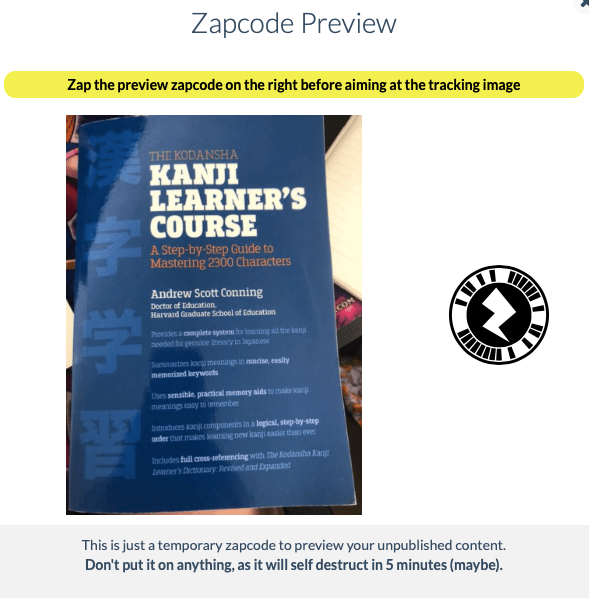

Then, on the ZapWorks site, you can insert different things like video, images, and even buttons (displayed in the image on the left). All of these add-ons become AR on the trigger image or item you have used.
For this particular example, if you press on one of the buttons, it brings up a chart of hiragana, katakana or kanji (the three Japanese alphabets). There is also a ‘back’ button on each page so you can return to the home page and make a different selection.
As an educational tool, ZapWorks and by extension, AR technology, are great for implementing many different types of pedagogy as well as increasing student engagement and achievement. Yet there are some issues with AR that can make it difficult to work with. For example, when I was trying to use ZapWorks, it took me around thirty minutes to figure out how to go back to the ‘home page’ of my AR experience. My solution was to include ‘back’ buttons, but I am unsure if this is the most optimal way to go about it. Akçayır & Akçayır mention various challenges that include “Inadequate teacher ability to use the technology”, “technical problems” and “causes cognitive overload” (2017). I personally felt that these issues could definitely be an issue, especially if a teacher is pressed for time and resources.
Yet the benefits of AR are just as prominent and rewarding, and are outlined in many studies. AR supports different pedagogies like Constructivist learning (Bower, et al., 2014), which results in the promotion of “self-learning” and is a “student-centred technology” (Akçayır, M., & Akçayır, G., 2017).
References:
Akçayır, M., & Akçayır, G. (2017). Advantages and challenges associated with augmented reality for education: A systematic review of the literature. Educational Research Review, 20, 1-11.
Bower, M., Howe, C., McCredie, N., Robinson, A., & Grover, D. (2014). Augmented Reality in education – Cases, places and potentials. Educational Media International, 51(1), 1-15. Retrieved from https://www-tandfonline-com.simsrad.net.ocs.mq.edu.au/doi/pdf/10.1080/09523987.2014.889400?needAccess=true&
 Digital Creativity and Learning
5 replies on “Augmented Reality in Education”
Hey Courtney,
This was a great overview of how AR can be applied in an education context. I really like your application of IKEA Place, a great idea involving the real world into learning. I hadn’t thought about using it in a mathematics setting, awesome idea!
For the purposes of this assessment, perhaps focusing on just one app such as zap codes would of make your blog more succinct within the word limit. It’s hard though because there is so much to talk about to narrow it down just to one or two, it’s great to know you have so many ideas for how to use AR within your classroom.
LikeLike
Hi Courtney,
I found many things about your post interesting.
Firstly, your reference to the AR games that most people are familiar with got me thinking as you commented that they aren’t specifically made for educational purposes. I’ve actually heard of people incorporated Pokemon Go into their programmes and I’ve always wondered at their success for the precise reason you gave: they aren’t designed for education! However, I know game-based learning has it’s benefits so I have to wonder how easy it would be to successfully incorporate popularised AR games and still achieve valuable learning experiences. Do you think it would be possible?
Secondly, I completely agree that a challenge with AR could be teacher competence. Without the necessary training to use a completely foreign tool it could be easy to get overwhelmed. Furthermore, if teacher’s aren’t able to problem solve navigating tools like ZapWorks then it will inevitably lead to student frustrations that go unaided. I am very grateful that I have attended university at a time when a Digital Technology unit was available to get my foot in the door and familiarise with these emerging technologies in a supported capacity.
Oh and lastly, for me, I never needed a back button, I was just able to click “Done” in the top left of my iPhone screen when I wanted to go back to the homepage. Are you on an iPhone too?
Kind regards,
Miss Wilkes.
LikeLike
Hi Courtney!
I agree with you pointing out that technical issues can cause cognitive overload when using AR technologies, it seems to be a common theme in the literature. Whilst I can see the potential that AR has for student learning, from my experience, it does not seem to provide a smooth and seamless learning experience in most cases and learning outcomes could be achieved faster and more effectively using another form of technology other than AR.
Josh
LikeLike
Hi Courtney
I agree with you on how AR is a great technological tool to implement for students’ engagement and implementing different pedagogies in the classroom. I do think that AR does provide a modern form of knowledge delivery and creation, but i also agree with you on how it does have its negatives, such as inadequate teacher ability to use the technology. It can be hard grasp and may be even more difficult for various students, especially lower ability students, which can potentially lead to disengagement. I also agree with you that various AR apps have a ‘fixed’ potential for educational usage, as the KLA content they acquire can be quite limited.
LikeLike
Hi Courtney,
Your Blog post had fantastic insight on how AR can be used in an educational context and implement different pedagogies in the classroom. I did like how you integrated both predesigned AR content and then creating your own AR experience using Zap works. I liked the two example of predesigned AR content, which I agree can be limiting as it has a fixed educational purpose. I love how you discussed the negatives and challenges of using AR in the classroom. Some teachers can have a biased perception of technology in class. Some only see it at Good, and others only see its a Bad but seeing it in a way that it can help foster creativity in the classroom but may have a few limitations as well. Overall a great blog post about AR in the Classroom.
LikeLike